Production Music Live
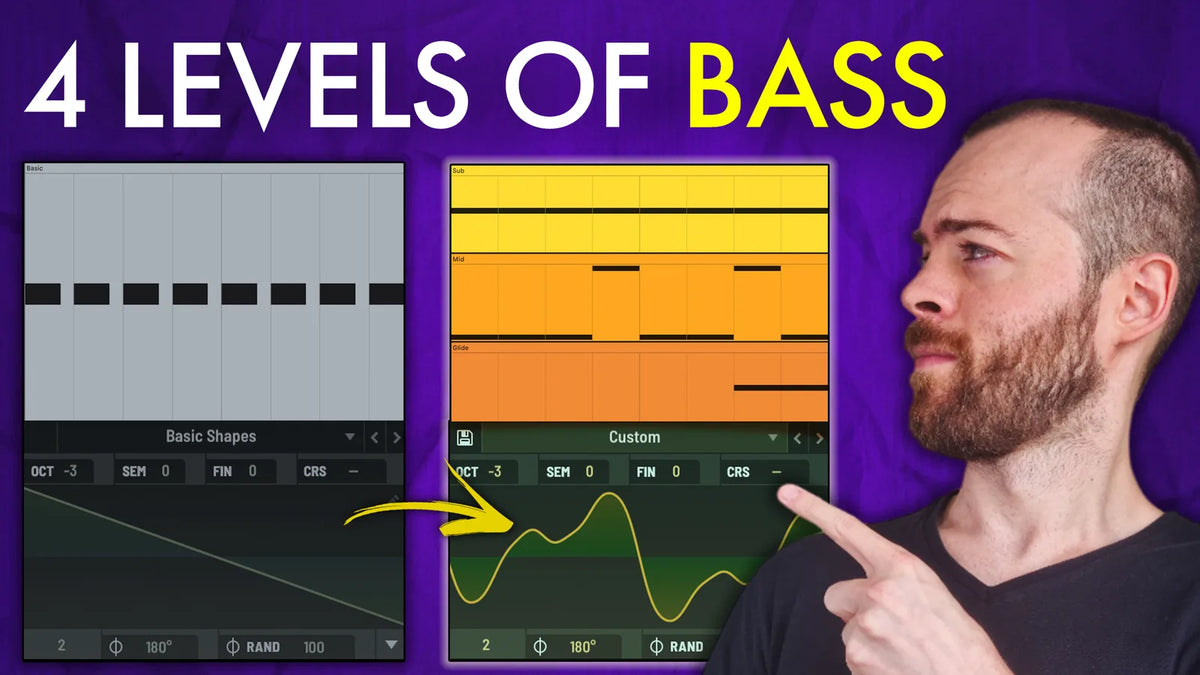
A rolling bassline is the easiest thing in dance music to make, and one of the hardest to make good. Most producers reach level one and stop. This breakdown climbs four levels, from the filtered saw everyone builds to a bassline that is unmistakably yours: the classic roll, the gallop, custom layers, and the movement. The lesson underneath it all: sound design gets you character, but only the MIDI gets you groove, and you need both.

Level 1: The Classic Rolling Saw
The sound you already know, and you should be able to build it in a minute. The "roll" is all in the envelopes: a plucky amp shape, and a filter envelope held slightly longer so the sound breathes instead of just pulsing.
Key settings:
- MIDI: straight 16th notes, one note (G)
- Serum: a basic saw
- Envelope 1 to amp, plucky with a short decay (this is the roll)
- Envelope 2 to filter cutoff, slightly longer hold and release than Env 1 (this is the breathe)
- LP 24 filter, cutoff pulled down and driven by Env 2
- Duck it against the kick (Shaper into Utility) so the low end shares space

Level 2: The Gallop
Level one is static, so the ear checks out after two bars. The gallop puts movement inside the bassline, and it comes from velocity, not new notes.
Key settings:
- Velocity: first 16th very low, second a little higher, 3 and 4 full; vary it bar to bar so none are identical
- Route velocity to filter cutoff in the mod matrix, so the quiet notes also get darker
- Add a sub shape to the patch for real low end
- EQ: notch out anything harsh

Level 3: Custom Layers
Where you stop sounding like a stock saw. Split the bassline into a custom sub and a custom mid, each with one job. The sound gets better here, but the groove drops a little, which is what level four fixes.
Key settings:
- Sub: start from a low sine, add bins in the wavetable editor for upper harmonics so it is actually audible
- Sub width: a second saw oscillator, high bins stripped to keep it dark, unison and detune for width
- Mid: load ICanHasKick, sweep the wavetable position, keep it plucky (a complement, not the bass)
- Mid EQ: roll off all the low end, then boost with a little Q right where you cut for low-mids
- One job each: sub for weight, mid for character

Level 4: The Movement
Two changes and the whole thing comes alive: octave jumps and an offbeat accent.
Key settings:
- MIDI: throw the mid layer's pattern up an octave in places (this alone brings the groove back)
- Accent layer: a custom shape with a subtle glide, driven by an LFO on CRS (coarse pitch)
- Play the accent offbeat, only here and there, never every bar

Grab the full project
The project file, Serum presets, and MIDI behind all four levels are in the new Melodic Techno pack Rising. Open it up and click through the patches while you watch.
Watch the full breakdown
See all four levels built step by step in the video:

Reference tracks
Typical reference tracks for this style are:
- Norman Hood - Full Moon Shadow
- Massano - Do It To Me
- Kevin de Vries - Born Like That
- Cassian, Matt Ryder - A Feeling I Miss
- Jimi Jules - My City's On Fire (Anyma & Cassian Remix)
- Anyma, Magnus - Leave A Mark
- Moritz Hofbauer - In A Blurry World
- The Temper Trap - Sweet Disposition (Artbat Remix)