Production Music Live
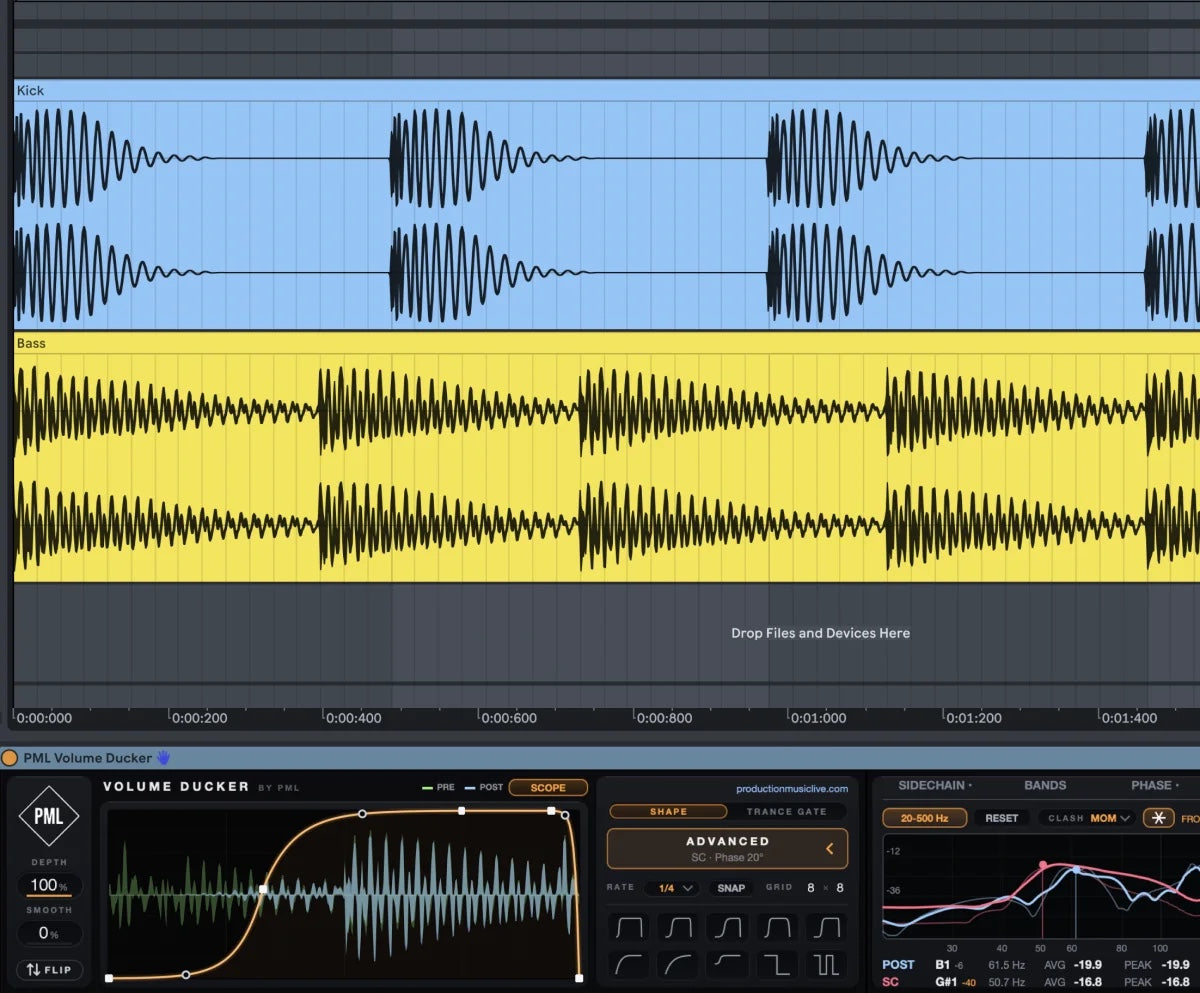
Kick and bass fighting for the same space is the most common low end problem we hear. A compressor on the bass with the kick as sidechain gets you halfway there. To really fix it, you want to shape the duck yourself, see where the two clash, and check that they are in phase.



That is why we built the PML Volume Ducker: a free Max for Live device that puts a volume ducker, sidechain, analyzer, ducking bands, oscilloscope, phase match and a trance gate into one place. Here is how to use it, step by step.
1. Draw the duck instead of guessing compressor settings
With a volume ducker you see the exact curve your bass follows. Draw your own ducking curve or start from one of the 10 ready-made shapes, and your bass gets out of the kick's way. Rate and Snap lock the curve to your groove.
Key settings:
- Shape: start from a preset, then move the points until the bass comes back in time with the groove
- Rate: match it to your kick pattern, for a four to the floor kick start at 1/4
- Depth: 100 % for a hard duck, lower it for a softer pump
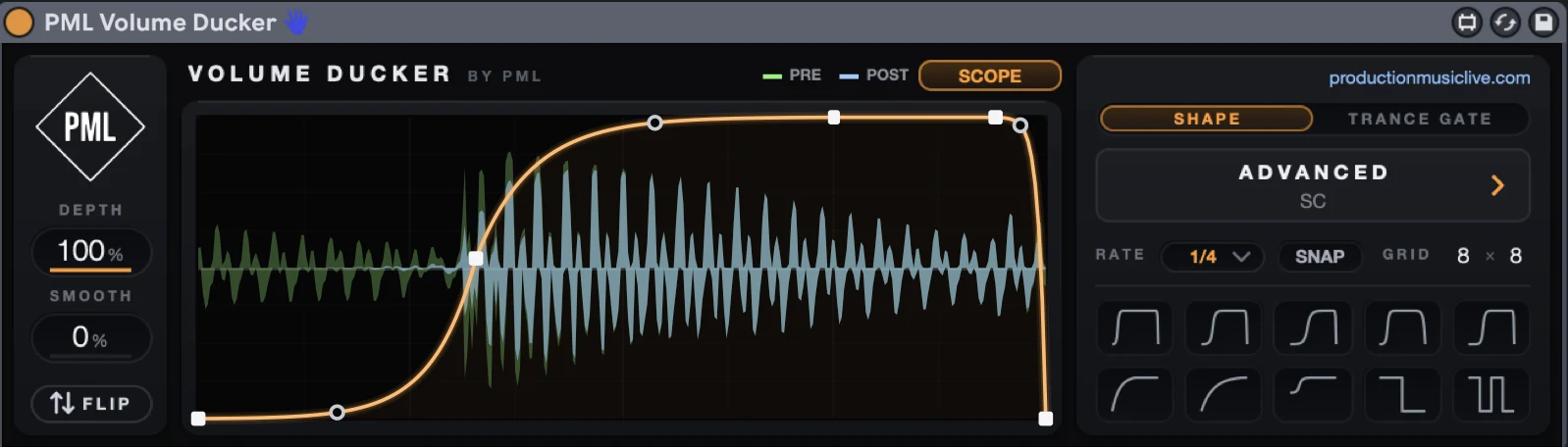
2. Let the kick trigger it
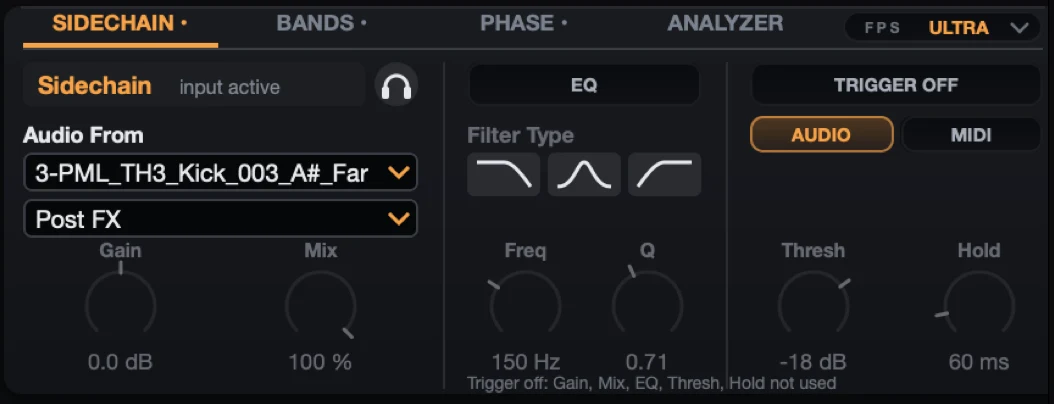
A drawn curve is perfect for a steady kick. As soon as your kick pattern varies, pick the kick as the sidechain source in one click. With Trigger on, the Ducker reacts to every single hit, even when the kick is off the grid.
3. See where kick and bass clash
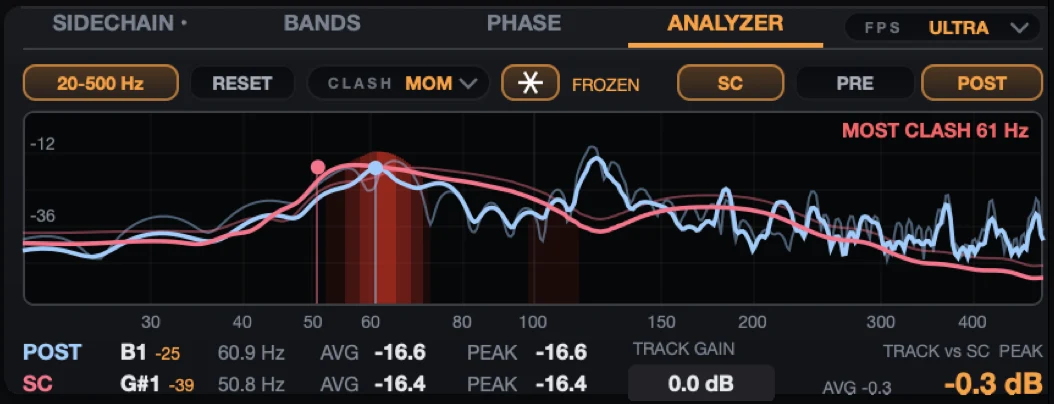
Ducking blindly is guesswork. The Analyzer shows exactly where your kick and bass clash and freezes it on screen. Then you level the two with one number: how far your kick sits above the bass.
4. Duck only the low end
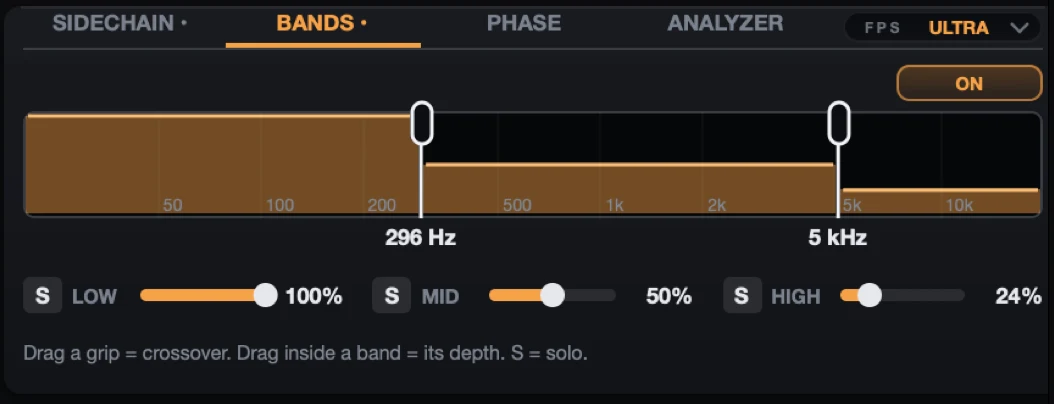
Often only the low end of your bass needs to duck. Ducking the whole signal makes the mids and highs pump as well, which you hear on every bass with some character. Split the signal into three bands and duck only the lows, while the mids and highs stay untouched.
5. Set the release where the kick ends
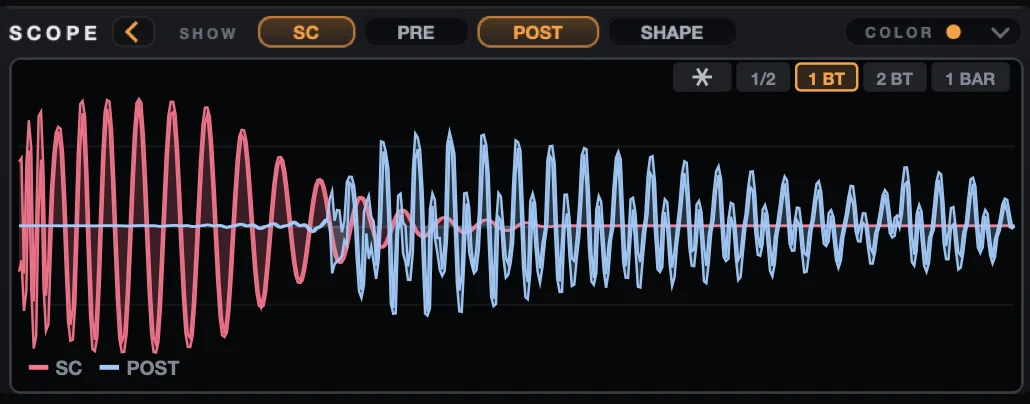
The most common mistake: the bass comes back while the kick is still ringing out. The oscilloscope shows kick, bass and your curve on top of each other, so you set the release exactly where the kick ends. Phase problems show up right away too.
6. Fix the phase for more punch
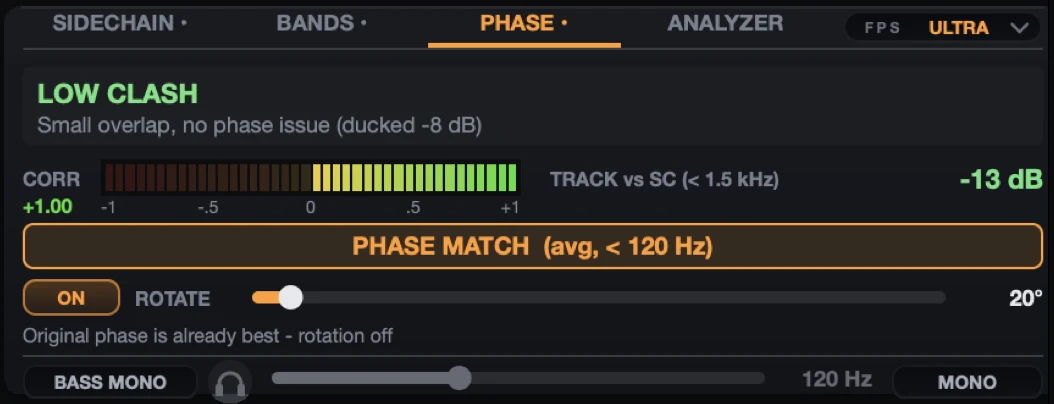
Kick and bass out of phase cost you punch, even when the levels are right. Phase Match aligns them automatically, or rotate the phase by hand for maximum punch.
7. Bonus: use it as a trance gate
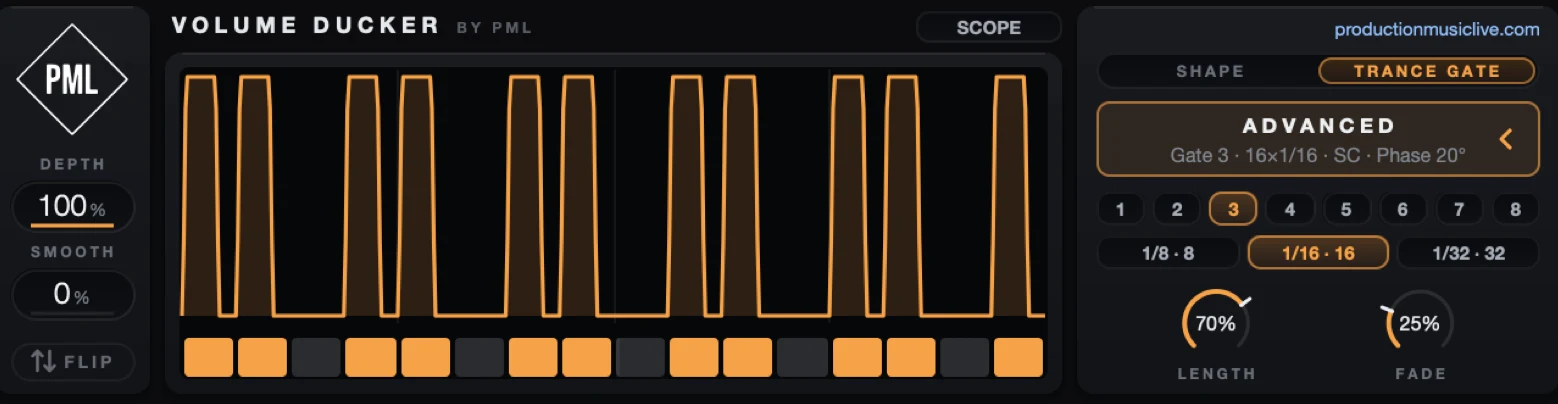
The same device turns into a step gate for pads and arps. Pick one of eight patterns or draw your own steps, then shape them with Length and Fade.
Get the PML Volume Ducker for free
Everything in this post is one free Max for Live device for Ableton Live 11 or 12 (Suite, or Standard with Max for Live), with a PDF guide that covers the install in 3 steps and every control. Free to use in all your personal and professional projects.
Watch the full breakdown
See the Volume Ducker on kick and bass in a real track: